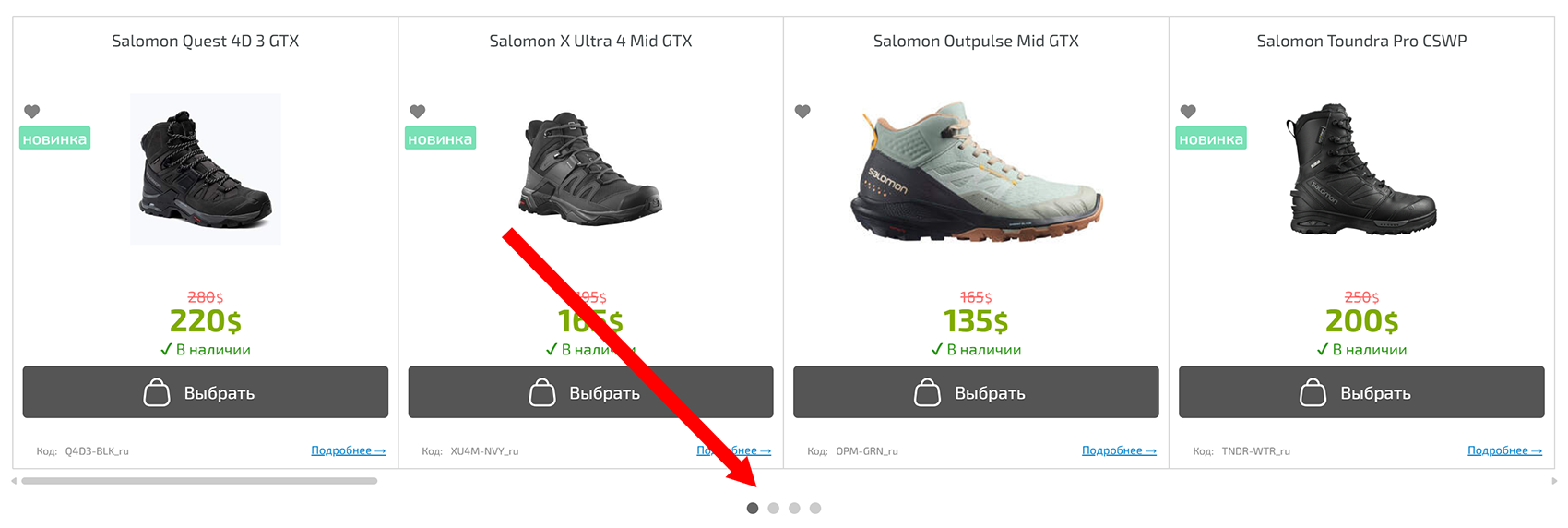
New Feature in Product Widget — Pagination
We are excited to announce a new feature in the product display widget — pagination. Now you can manage the display of product blocks using dots that indicate the current page and allow quick navigation between pages.
How it works
- If pagination is not specified, the dots are disabled and the block works as before.
- If one or two numbers separated by a comma are specified, pagination is enabled:
- The first number — default number of dots;
- The second number — maximum number of dots added when loading more products.
Example parameter
:scroll-768x8x64x3,3
- 768 — minimum screen width at which the function is activated;
- 8 — number of products loaded per scroll;
- 64 — maximum total number of products (0 — unlimited);
- 3 — default number of pagination dots;
- 3 — maximum number of dots added when loading more products (can be left empty if not needed).
Usage
- The parameter can be set when creating the product widget.
- Pagination works only in
scrollmode. - If
:appendor:carouselparameters are specified, pagination will not be active. - On mobile devices, the feature conveniently mimics Swipe and does not take extra space.