
To connect the Fondy payment system, register on https://fondy.ua/. Add a store. Copy on page "Merchant settings", "Technical" - Merchant ID and Payment Key.
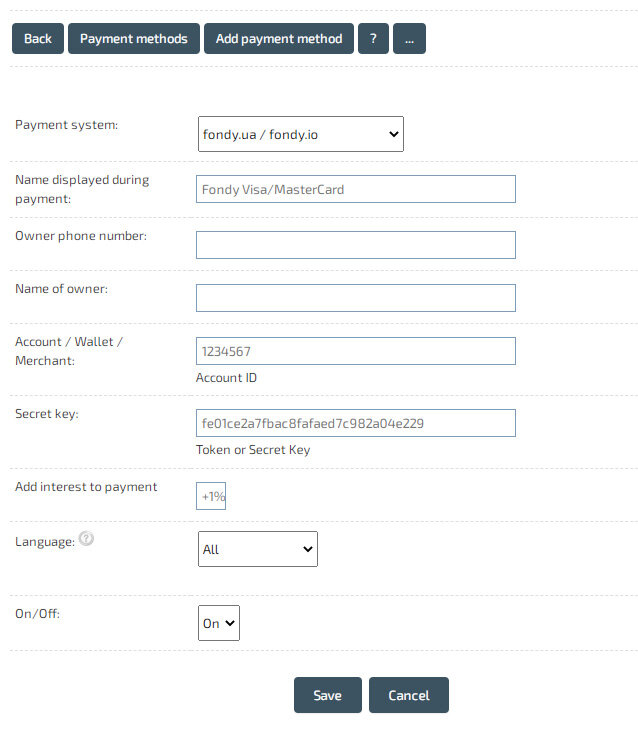
In the Admin panel, go to the "Shop" - "Payment systems" section. Click "Add payment method".
Select "Fondy.ua / Fondy.io" and fill in the received `Merchant ID` - Account, and `Payment key` - Secret key.
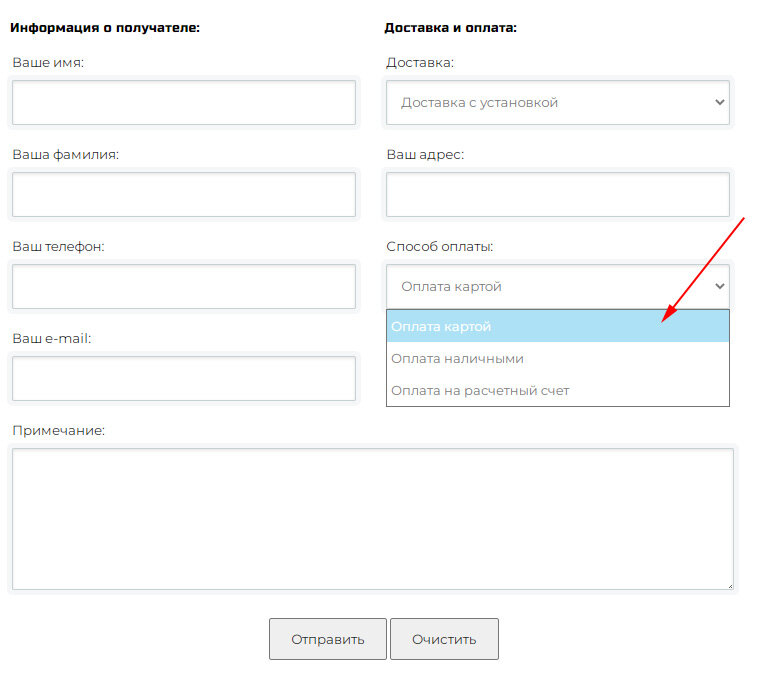
After filling in the information about the payment method, it will be available in the order form.
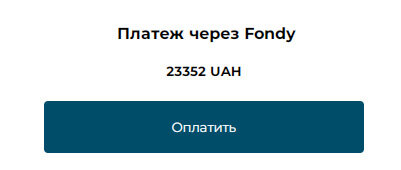
The selected payment method is displayed after placing an order.
In the Admin panel, go to the "Shop" - "Payment systems" section. Click "Add payment method".
Select "Fondy.ua / Fondy.io" and fill in the received `Merchant ID` - Account, and `Payment key` - Secret key.
After filling in the information about the payment method, it will be available in the order form.
The selected payment method is displayed after placing an order.
Create an online store